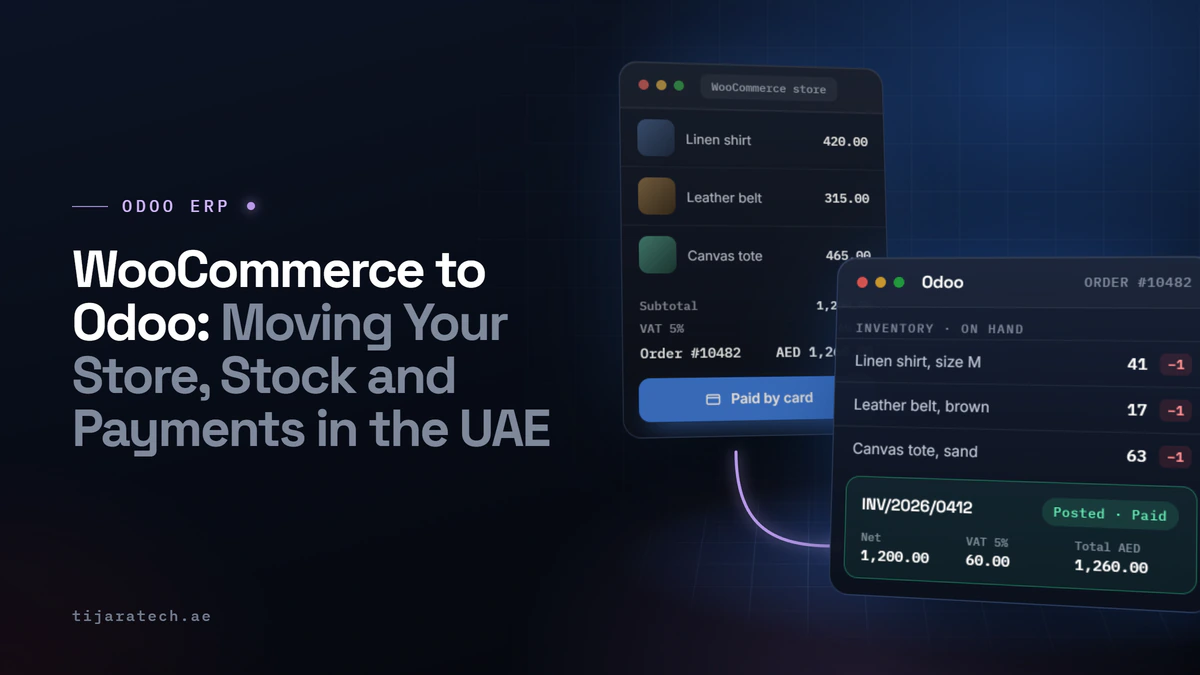
Plenty of UAE businesses start on WooCommerce, and for good reason: it is quick to launch and cheap to run. The trouble starts once the store is busy. Orders live in WordPress, stock lives in a spreadsheet, invoices live in accounting software, and payments live in the gateway dashboard, and none of them agree with each other. Moving to Odoo is how you get all of that into one system. Here is how the migration actually works, what moves, and where the real effort goes.
We build and support Odoo and payment integrations for UAE businesses, so this is the practical version, not the brochure version.
Why move from WooCommerce to Odoo at all
WooCommerce is a good storefront. It is not an ERP. As you grow, you feel that difference in specific ways: stock that is right on the website but wrong in the warehouse, a finance team rekeying every order into the accounts, and a month-end where the sales report and the bank never quite match. Odoo puts the store, the inventory, the invoicing and the accounting in one place, so an order updates stock, raises the invoice and posts to the books on its own.
You do not have to throw WooCommerce away to do this. Many businesses keep WooCommerce as the storefront and connect it to Odoo as the back office, which is often the lowest-risk path.
Two ways to do it
Option A: Keep WooCommerce, connect it to Odoo
WooCommerce stays the shopfront your customers see. Odoo becomes the engine behind it: products and stock are managed in Odoo and pushed to the site, and orders flow from the site into Odoo for fulfilment, invoicing and accounting. This keeps the storefront you already know while fixing the operational mess behind it.
Option B: Move the storefront to Odoo eCommerce too
Odoo has its own website and eCommerce module. Moving the storefront onto Odoo as well means one system end to end, with no sync to maintain between two platforms. It is more change up front, and worth it for businesses that want everything under one roof.
Neither option is automatically right. It depends on how attached you are to the WooCommerce storefront and how much you want to consolidate. A good partner will tell you which fits rather than defaulting to the bigger project.
What actually moves in the migration
- Products, with variants, prices and categories
- Customers and their order history
- Stock levels, reconciled to what is really on the shelf, not just what WooCommerce thinks
- Open orders in flight at the time of switchover
- Opening balances and outstanding invoices, into Odoo accounting
As with any migration, the effort is proportional to how clean the source data is. Duplicate customers, products with inconsistent SKUs and stock that has never been counted all add time. It is worth cleaning the data before the move, not after.
The part people underestimate: payments and reconciliation
This is where a WooCommerce-to-Odoo project quietly succeeds or fails. On WooCommerce, a payment is “done” when the customer sees a success screen. In a connected system, it is only done when the payment, the order, the invoice and the bank all agree. That means the payment gateway has to be wired into Odoo properly, with reliable webhooks so a paid order never goes missing, and with fees, refunds and payouts written back so the numbers reconcile.
Get this right and month-end stops being a spreadsheet marathon. Get it wrong and you have simply moved the reconciliation problem into a new system. We go deep on this in our guide to payment reconciliation in the UAE, because it is the difference between a store that runs itself and one that needs babysitting.
A sensible order to do it in
- Scope which modules you need and whether you are keeping the WooCommerce storefront
- Clean the product, customer and stock data at source
- Set up and configure Odoo for your catalogue, tax and workflow
- Build the WooCommerce and payment integrations, with reconciliation
- Migrate the data and run both systems in parallel briefly to check the numbers
- Switch over, train the team, and support the first live month closely
If your store has outgrown spreadsheets and your month-end is a fight, this is the move that fixes it. See how our Odoo ERP implementation works, or book a consultation and we will map your migration with you.
Common questions
Can I keep my WooCommerce website and still use Odoo?
Yes. A common setup keeps WooCommerce as the storefront and connects it to Odoo for inventory, orders, invoicing and accounting. You get the operational benefits without rebuilding the site.
Will my product and customer data transfer?
Yes, products, variants, customers and order history all migrate. How smoothly depends on how clean the data is; duplicates and inconsistent SKUs are worth fixing before the move.
What happens to payments during the switch?
The payment gateway is integrated into Odoo with proper webhook handling and reconciliation, so orders and payments stay matched. Running both systems in parallel briefly confirms the numbers line up before you fully switch over.
How long does a WooCommerce to Odoo migration take?
It depends on the catalogue size, data condition, and whether you are also moving the storefront. A back-office connection with clean data is quicker; a full end-to-end move with migration takes longer. Scoping gives you a realistic timeline.
Outgrown WooCommerce? Book a consultation and we will show you the lowest-risk path to Odoo for your store. Same-day reply.

